Posts

Showing posts matching the search for weather34

RPi install Apache/PHP WEB-server

Image
Updated 2024-01-07 ! OK with Bookworm & PHP 8.2 ! As a part of one of my project,  the ultimate Weather site ? Weather34 , I needed a WEB-host with PHP. I started up with a fresh Raspberry OS Lite SD Card  with Samba installed . Log on, with ssh/terminal to the RaspberryPi(RPi),  in this case hostname "pws01",  and update the OS with sudo apt update sudo apt full-upgrade -y sudo apt clean go on and install the Apache server with sudo apt install apache2

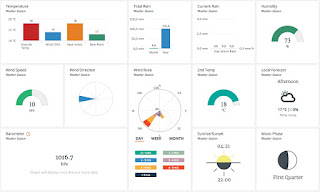
The ULTIMATE Weather WEB-site ??

Image
Updated 2017-08-25 ! If You have a Private Weather Station(PWS) and would like to have a good view over the data and, as an add on, also forecasts from Weather Underground  (WU) this free software probably solves Your problem. Despite that the project is terminated the code is available and instructions is available at my other posts https://weather34.com/homeweatherstation/

Weather34 install at WEB hotel

Image
Updated 2019-04-01 ! Prerequisites is listed in the beginning of the post for installation on  Raspberry Pi(RPi) You will find migration information, from WeatherLink 1.0 to WeatherLink 2.0, in this post

DYI Weather template with data from Davis Weatherlink

Image
I have been very fond of our weather website with the Weather34 application (W34), but there is an end to everything..... Doing an upgrade of the server it collapsed and showed a blank screen. I'm no programmer but I had to test if it was possible to upgrade the app using ChatGPT and Gemini. Burt several hours later I gave up !!

Davis WeatherLink upgrade to 2.0

Image
During summer 2018 Davis are updating WeatherLink to 2.0 (WL2). So if You have registered devices before 2017-11-28 You must migrate. This update is changing their website, as shown in picture, and API . Their API documentation is found here The following information is sent out in 2018-06 to users who still haven't upgraded to WL2

Install Weather34 with WeatherLink

Image
Updated 2025-01-09 PHP 8.2 ! If You want Your Private Weather Station(PWS) Davis Vantage Pro2, or other Davis products that use WeatherLink, to provide data for the template we use at Domstens BÃ¥tklubb just follow the instructions below.  T his is made  without  additional software such as Cumulus, Weather display or the Meteobridge product. This application is updated !! , to use the v2 API. Check   this post  !!

Weather34 & WeatherLink w/o cronjob

Image
Running Weather 34, W34, using my setup , the program " cumulusdata.php " is fetching data from Davis Weatherlink(WL), and are writing the data to a file, type Cumulus. The old way was to fetch the data via a scheduled cronjob.  Doing a small change to " windspeeddirection.php ",  " updater.php "  , and using  the latest version of  " cumulusdata.php ",  will do the update with the built in W34 refresh routine instead of cron job. Thanks to Ken who gave me the hint.

Weather34, the production version

Image
Updated 2019-05-12 ! I have got some questions which version we are using for the moment at the site vader.domsten.nu   The version is from 2019-05-12 and You can get the whole site code from here . Please note that I have done some modifications so if You want the original code please rename  menu.php

Davis weather station, WeatherLink, PHP

Image
Updated 2021-12-05 ! In the harbour we are using a Davis weather station , Vantage Pro2, as our PWS(Private Weather Station). If you like to display the data, online on the web , you can use the Davis service,  Weatherlink (WL) where you register an account.  Another way is to retrieve the weather data as XML or JSON, from the Weatherlink web-site, and use it in your own application  (open source!). Another approach with NodeRed could be find here .

Mac install Apache/PHP WEB-server

Image
Updated 2019-01-07  !! Note !! Before Monterey !!  As a part of one of my projects,  the ultimate Weather site ?? Weather34 (W34), I needed a WEB-host with PHP and started to use a Raspberry Pi . In this post You will get some short install tips on Apache with PHP on a Mac with Mojave, macOS 10.14.x, and a t the end of the post the W34 installation is done.

Install Weather34 with WeatherLink, v2 API

Image
Updated 2025-01-08 OK PHP 8.2 ! This post is an update from a former post which handles on how to set up a weather WEB-site with data from Davis Weather Link(WL) but here adapted to the latest WL API v2. Any product that reports weather data to WL can be used as a source for this weather template. T his is made  without  additional software such as Cumulus, Weather display or the Meteobridge product.

Popular posts, last 30 days

iCloud drive sync, or mount, with a Linux, Ubuntu, device

Raspberry Pi OS Lite with GUI, RDP, VNC, Chromium

Installing Ubuntu 24.04 or 24.10/25.04 on an old MacBook Air(2011)

Home Assistant with VirtualBox or Proxmox or Linux KVM ???

Raspberry Pi 2, 3, 4, 5 USB SSD or USB drive boot

SeaTalk1 to NMEA 0183 converter, DIY

Clone the Raspberry boot disk

IVT, Bosch heat pump easy integration, Home Assistant

Waveshare CAN hat with Signal K & OpenPlotter